Concepts: Sketch, Note, Draw
- 4.4
- Rating
- 5.00M
- Installs
- Free
- Price

 Analysis by App-foxy
I like drawing apps that get out of the way quickly, and Concepts is built around that idea. It gives me an open workspace for sketching, planning, note-taking, and illustration rather than forcing every project into a fixed page. That makes it feel closer to a digital sheet of paper that can keep expanding than a conventional notebook.
That flexibility is the main reason I would recommend it to someone who thinks visually. I can begin with a rough thought, move outward as the idea develops, and keep related marks together without constantly creating new pages. At the same time, the open canvas can feel less comfortable if you prefer a strict folder-and-page system. Concepts is free to start, suitable for Everyone, and comes from TopHatch, Inc., but its broader creative workflow is aimed more at active sketching than casual doodling alone.
How Concepts feels when I use it for everyday drawing
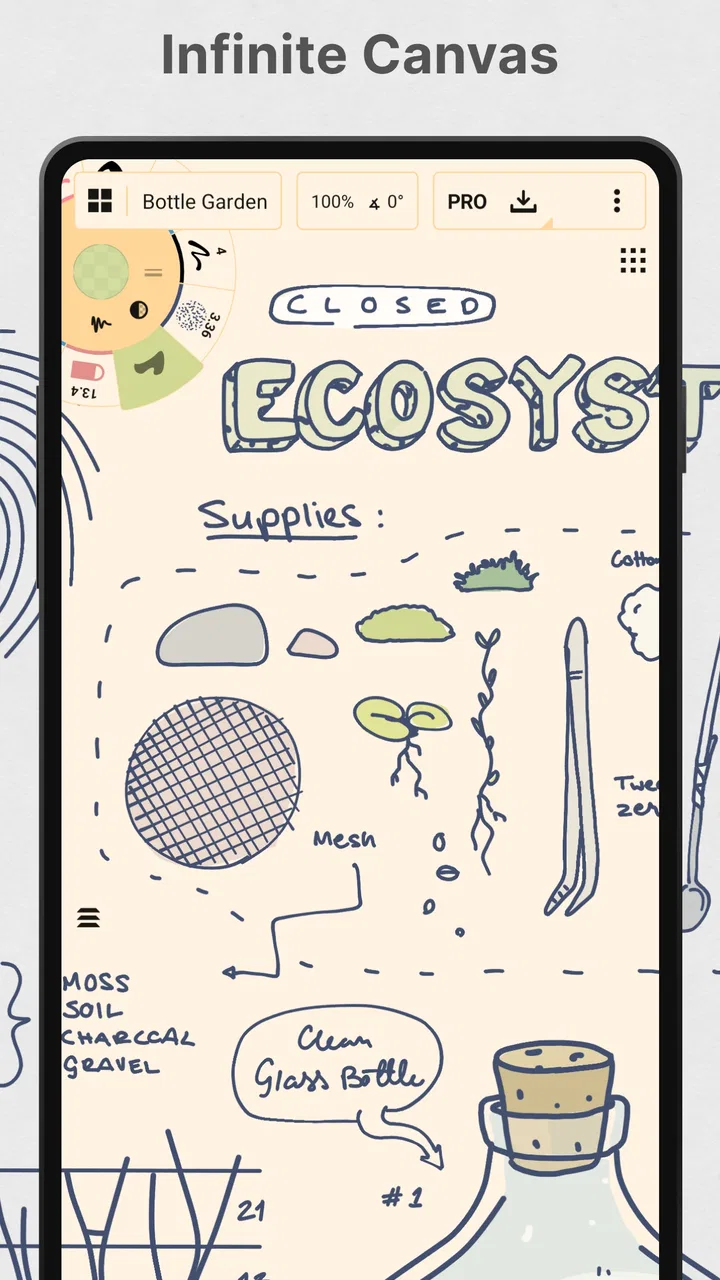
The first thing I notice is the sense of space. Instead of asking me to decide the final size of a page before I begin, the app lets me work across an infinite canvas. I can place a small thumbnail in one area, expand a rough composition beside it, and leave notes around the edges without squeezing everything into a single rectangle.
You May Also Like

 Blood Strike: 2.5 Anniversary
Blood Strike’s Loadouts Turn Every Drop Into a Tactical Gamble
A close look at Blood Strike’s custom loadouts: how fast access to signature weapons reshapes its battle royale rhythm, rewards preparation, and narrows the gap between fights.

 Pandora - Music & Podcasts
Pandora’s Music Is Easy to Start, but Harder to Recover
Pandora’s strength is its low-effort path from a seed to a station. Its weak spot is how much confidence it asks you to place in connection, setup, and quiet recovery.

 8 Ball Pool
 Is Built on Rivalries, Rematches, and Routine
A close look at the rivalries, rematches, shared routines, and unanswered safety questions that turn a quick pool match into a persistent mobile community.

 Samsung Music
’s Quiet Strength Is Playing What You Already Own
Its reach comes less from spectacle than from dependable access to a personal library. That simplicity is both the app’s strongest retention engine and its ceiling.

 AccuWeather: Weather Radar
AccuWeather Review: A Quick, Clear Forecast for Everyday Decisions
For everyday plans, the best forecast is the one you can understand quickly. AccuWeather makes rain timing, radar, and local conditions easy to act on, with a few trade-offs.

 Hill Climb Racing
Why Hill Climb Racing Still Turns Crashes Into One More Run
A tiny car, a bumpy hill and one more upgrade: Hill Climb Racing keeps resurfacing because its simple chaos makes every near-miss feel personal.
More From Our News Desk



That approach is especially useful for visual planning. I might start with a room layout, add arrows showing movement, write a few measurements, and then create a cleaner version nearby. For a character idea, I can keep gesture studies, clothing variations, and a final pose in one connected workspace. The canvas becomes a thinking surface rather than just a place where finished drawings are stored.
The tools also suit a mixed style of work. I can use the app for loose pencil-like exploration, simple diagrams, handwritten reminders, and more deliberate illustration. I would not describe it as a full replacement for every professional art program, but it occupies a useful middle ground between a sketchbook and a design board.
The real advantage is not simply having an infinite canvas; it is being able to keep the messy stages of an idea visible while I refine it. That matters because early sketches often contain useful decisions that disappear when I immediately redraw everything on a clean page.
Speed expectations during ordinary use
For short sessions, Concepts feels naturally quick because the basic action is direct: open a workspace, choose a drawing approach, and begin placing marks. I do not need to prepare a document with a complicated page setup before testing an idea. That low starting friction is valuable when I only have a few minutes to capture something before it disappears from my mind.
I also find the open layout helpful when comparing alternatives. Rather than undoing one version to try another, I can move to an unused part of the canvas and explore a second direction. This saves time in brainstorming, although it creates a different responsibility: I need to keep the canvas organized or it can become visually crowded.
There is a trade-off between freedom and instant order. A traditional note app may feel faster for a simple shopping list because it opens into a familiar page structure. A basic drawing app may feel faster for one isolated doodle because it offers fewer decisions. Concepts earns its speed when I am developing an idea with several connected parts.
For that reason, I would not judge it only by how rapidly it handles a single mark. Its practical speed comes from reducing interruptions during visual thinking. If I am planning a presentation, mapping a small garden, or arranging a poster concept, keeping references and variations on one canvas can be faster than switching between several separate documents.
What happens when the canvas gets busy
Heavy use is where an infinite workspace becomes both its strongest feature and its biggest challenge. A small sketch is easy to understand, but a long-running project can accumulate rough drafts, labels, arrows, color tests, and discarded ideas. The app gives me room to explore, yet that room needs a personal system.
My practical advice is to divide the canvas intentionally. I like leaving a clear working zone, placing experiments in a separate area, and keeping a cleaner reference version away from the mess. This is more useful than repeatedly zooming around without a plan. It also makes it easier to return to a project after several days because I can recognize where the important material belongs.
Another useful habit is to treat the canvas like a visual outline. I can place the main concept near the center, supporting notes around it, and alternate versions farther away. This turns unlimited space into a structure instead of an endless blank surface. It is a subtle workflow improvement, but it makes a noticeable difference during larger planning sessions.
When I am working intensely, the app is best suited to projects where visual relationships matter. A floor plan, storyboard, mind map, product concept, or illustration study benefits from proximity between elements. A long block of ordinary text does not gain much from being spread across an infinite surface, so I would use a conventional writing app for that part of the job.
Reliability and recovering from a rough idea
Reliability is not only about whether an app opens. For a drawing tool, I also care about whether I can return to an unfinished thought without losing its context. Concepts makes the workspace itself part of the record: the rough marks, annotations, and alternate directions can remain together instead of being reduced to a single polished result.
That is helpful when I work in short bursts. I can sketch a layout during a commute, revisit it later, and continue from the same visual arrangement rather than trying to remember why a particular line was drawn. The recovery benefit here is practical and creative: preserving the surrounding thinking can be just as important as preserving the final image.
I still recommend a little discipline. Important work should not exist only as one sprawling canvas with no clear landmarks. I would keep meaningful versions visually separated and avoid treating every experiment as equally permanent. This is not a criticism unique to the app; it is the natural cost of working in a space designed to hold many stages of an idea.
The app’s broad adoption is reassuring to me when choosing a tool for regular use. It has an average rating of 4.2 from around 23 thousand ratings, and it has passed the five-million-install mark. Those figures do not guarantee that every device or workflow will feel identical, but they suggest that Concepts is not a niche experiment that only works for a tiny group of users.
TopHatch, Inc. also continues to maintain the app, which is currently at version 2026.01.1. I would still approach any creative app with sensible habits: save meaningful stages, avoid keeping every idea in one confusing area, and make sure a project is in a usable state before relying on it for an important deadline.
Resource demands and long working sessions
Concepts is more demanding than a simple notes app in the way any open-ended drawing workspace can be. It has to support a canvas that may grow well beyond a single page, and a serious project can contain many marks and visual elements. I notice the difference most in the kind of work I ask it to do, not when I am making a quick sketch.
For a short note or a small diagram, I would expect the app to feel relatively light because the task itself is modest. A dense planning board or a detailed illustration is a different test. The more I add, the more important it becomes to keep the project purposeful rather than endlessly accumulating abandoned versions.
This is one reason I would not recommend opening Concepts with the expectation that it will behave exactly like a plain text editor. Its value comes from visual freedom, and visual freedom can require more from a device and from the person using it. If your phone or tablet has limited available space or struggles with demanding creative apps generally, a simpler tool may be the more comfortable choice.
I also think screen size changes the experience. The app can be useful on a phone for capturing ideas, but a larger display gives the infinite canvas more room to make sense. On a compact screen, I may spend more time zooming and repositioning. That does not make the app unusable; it simply shifts the balance between quick capture and comfortable composition.
Device constraints and the free starting point
Concepts supports devices running Android 8.0 or later, which covers a broad range of compatible hardware. Even so, the operating-system requirement is only the starting point. Drawing comfort depends on the screen, touch response, available storage, and whether the device is pleasant to hold during a long session.
I would especially consider the input method before committing to it. Finger sketching is fine for rough ideas, annotations, and quick diagrams, but a stylus can make detailed work more controlled. If you already enjoy drawing with a compatible pen, the app makes more sense as a regular creative workspace. If you dislike drawing on glass, the infinite canvas alone will not solve that problem.
The app is free to download, which makes it easy to test without turning the decision into a purchase first. Some items are offered through in-app purchases ranging from $1.99 to $29.99 per item. I would begin with a real project rather than a five-minute doodle, because the question is not only whether the basic drawing feels pleasant; it is whether the broader workflow matches the way you think.
The free entry point is a strength for students, hobbyists, and curious users who want to compare a visual canvas with their usual notebook. It also means I would pay attention to which tools become central to my routine before spending money. If my needs are limited to occasional sketches and handwritten reminders, the free experience may be enough. If I depend on a particular advanced workflow, I would check the available purchase options inside the app before planning around it.
Its Everyone content rating also makes it approachable for shared households and younger users. That does not automatically make every creative project suitable for every child, but it does mean the app is positioned as a general-purpose art and design tool rather than an adults-only service.
Where it beats familiar alternatives
Compared with a standard notes app, Concepts is much better when the relationship between ideas matters. Notes are excellent for a linear list, a paragraph, or a quick reminder. Concepts is better when I want to place a heading beside a sketch, connect two thoughts with an arrow, and keep several visual options visible at once.
Compared with a basic drawing app, it offers a more natural place for planning before polishing. A simple drawing tool may be preferable when I want a single finished image with minimal setup. Concepts becomes more valuable when the drawing is part of a wider process involving references, annotations, revisions, and spatial organization.
Compared with a traditional paper sketchbook, the app is easier to revise without covering the page in eraser marks, and the canvas can expand beyond physical limits. Paper still wins for immediacy, battery independence, and tactile comfort. I would not replace a favorite notebook entirely if the physical act of drawing is part of what motivates me.
Compared with a full professional illustration suite, Concepts feels less intimidating and more suitable for early-stage thinking. A specialist program may offer deeper control for finished artwork, complex editing, or production-specific requirements. I would choose that kind of software when the final output demands a more extensive toolset. I would choose Concepts when the priority is exploring, arranging, and communicating an idea quickly.
Three workflows that show its real value
My favorite everyday scenario is planning a small home project. I can draw the room roughly, mark where furniture might go, add notes about measurements, and place a second arrangement beside the first. The infinite canvas lets me compare options without destroying the original. For this use, the app works as a visual problem-solving surface rather than a decoration tool.
A second strong use is lecture or meeting capture when the subject is spatial. Instead of writing every point in a single column, I can put the central idea in one area, connect supporting details, and add a quick diagram beside them. Later, the layout helps me remember how the information was related. This is more useful than simply making handwriting look attractive.
A third workflow is illustration development. I can begin with several tiny composition tests, enlarge the promising one, add notes about color or mood, and keep rejected directions nearby for reference. The important insight is that I do not have to choose the final idea too early. Concepts supports the uncertain stage where most creative decisions are still being tested.
For students, I would use it to combine diagrams and handwritten explanations rather than copying a textbook page word for word. For designers, I would use it to communicate rough direction before investing in polished assets. For casual users, I would use it as a flexible visual journal. In each case, the app is strongest when marks and relationships carry more meaning than long-form text.
Who should skip it
I would skip Concepts if I mainly need a conventional task list, a text-first journal, or a simple place to store typed documents. The infinite canvas would add freedom, but it could also add unnecessary decisions. A focused notes or productivity app would probably feel faster and more predictable for those needs.
I would also hesitate if my main goal were professional image finishing. Concepts can support illustration and design thinking, but an app built around expansive sketching is not automatically the best choice for advanced photo work, highly specialized vector production, or a rigid publishing pipeline. The right tool depends on whether the important work happens during exploration or at the final export stage.
Finally, users who want a perfectly ordered archive from the moment they begin may find the open canvas frustrating. Concepts rewards people who are willing to create their own visual structure. If you prefer every note to land in a predefined page and folder, its flexibility may feel like clutter rather than freedom.
My performance verdict after using its approach
Concepts feels quickest when I am catching, arranging, and developing visual ideas. Its performance value is tied to the workflow: fewer page boundaries, less forced cleanup during brainstorming, and a practical way to keep rough and refined versions close together. It is not the universal answer for every kind of note or artwork, but it has a clear identity.
I would recommend it to anyone who sketches to think, especially people planning spaces, diagrams, layouts, storyboards, lessons, or early illustration concepts. The free starting point makes it easy to test on a compatible Android device, while the current version shows that TopHatch, Inc. is still actively maintaining the product. Just remember that a large canvas benefits from organization, and more demanding projects may feel less comfortable on smaller or less capable hardware.
My final opinion is positive, with a specific qualification: Concepts is best treated as a visual thinking studio, not merely a digital pencil. If that matches what you need, its open canvas can make ideas easier to explore and recover. If you only want a quick note, a fixed page, or a specialized finishing tool, a simpler or more focused alternative will likely serve you better.
For me, that distinction makes the app worth trying. It gives unfinished thoughts room to develop, and that is where it feels most convincing. I would start with one realistic project, keep the canvas divided into clear areas, and judge it by how naturally it supports the way I actually work. That test reveals its strengths far better than a quick doodle or a glance at the tool palette.
FAQs for Concepts: Sketch, Note, Draw
01What is Concepts: Sketch, Note, Draw and what can it do?
Concepts: Sketch, Note, Draw is a versatile app designed for creative professionals and hobbyists alike. It offers a flexible, vector-based sketching platform with infinite canvas, allowing users to sketch, draw, and note with precision. Its tools cater to architects, designers, and illustrators, providing a seamless experience for creating detailed and complex designs.
02Is Concepts available on both Android and iOS?
Yes, Concepts: Sketch, Note, Draw is available on both Android and iOS platforms. The app is optimized for various devices, including tablets and smartphones, ensuring you have access to its features regardless of your operating system. This cross-platform compatibility enhances its usability for users on different devices.
03What are the main features of Concepts?
Concepts offers a range of features including an infinite canvas, real-time sketching with vector tools, customizable brushes, and precision measurement tools. It also supports layers, exporting in various formats, and integration with other design software. These features make it an ideal choice for creating professional-grade sketches and designs.
04Are there any in-app purchases or subscriptions required?
Concepts offers a free version with basic tools, but to unlock advanced features, users can opt for in-app purchases or a subscription model. The paid options provide access to additional brushes, export formats, and professional tools, which enhance the app’s functionality for serious users and professionals.
05How user-friendly is Concepts for beginners?
Concepts is designed to be intuitive for beginners while offering advanced features for experienced users. Its user-friendly interface and comprehensive tutorials help new users get started quickly. The app’s flexibility allows beginners to gradually explore more complex tools, making it suitable for users at any skill level.
Pros
- Intuitive interface for seamless creativity.
- Wide range of tools for sketching and drawing.
- Easy organization of notes and sketches.
- Cross-platform syncing for convenience.
- Smooth performance with minimal lag.
Cons
- Limited export options in free version.
- Requires in-app purchases for full features.
- No offline mode for syncing.
- Occasional crashes on older devices.
- Lacks advanced editing tools for professionals.

Concepts: Sketch, Note, Draw
Gallery